
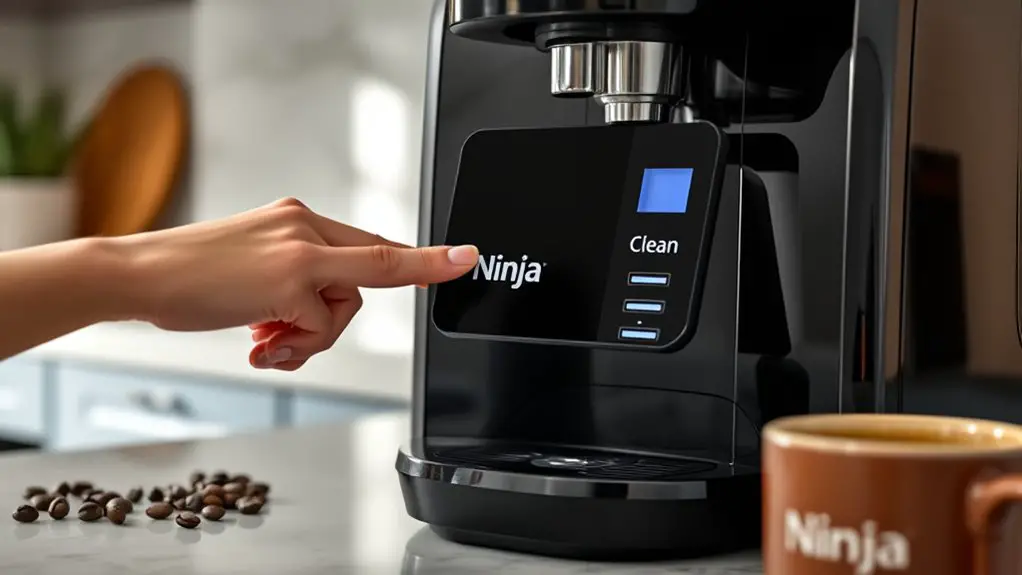
If your Ninja Coffee Machine is stuck in Clean Mode, start by unplugging it for 10 minutes to reset the system. Check the water reservoir for any residue and rinse it thoroughly before refilling with fresh water. Reconnect the machine and inspect the Clean Indicator light for any malfunctions. If the problem persists or you've tried regular maintenance, other steps may resolve the issue effectively. There's more to explore on maintaining your machine and avoiding future complications.
Understanding the Clean Mode Functionality
The Clean Mode functionality on your Ninja Coffee Machine is vital for maintaining ideal performance and extending its lifespan. This feature helps you effectively remove mineral buildup and residue, ensuring that your machine operates at peak efficiency. When you activate clean mode, the machine initiates a cycle that circulates a cleaning solution through its components, targeting areas that may harbor impurities. It's important to follow the manufacturer's guidelines for the cleaning solution and timing to achieve best results. Regularly utilizing clean mode not only enhances the flavor of your coffee but also prevents potential malfunctions. Understanding this machine functionality empowers you to keep your Ninja Coffee Machine in top condition, allowing you the freedom to enjoy great coffee whenever you want.
Common Causes for Being Stuck in Clean Mode
While maintaining your Ninja Coffee Machine through the Clean Mode is important, issues can arise that leave the machine stuck in this mode. One common cause is a malfunction of the clean mode indicators. If these lights are faulty, they may signal that cleaning is required even when it's not. Another issue could be the presence of mineral buildup or debris in the machine, which can confuse the sensors. Additionally, improper use of cleaning solutions can lead to complications, preventing the machine from exiting Clean Mode. To effectively address these problems, refer to troubleshooting tips specific to your model. Recognizing these causes will empower you to return your coffee maker to its normal operation.
Step-by-Step Troubleshooting Guide
To resolve issues with your Ninja Coffee Machine being stuck in Clean Mode, follow this step-by-step troubleshooting guide. First, unplug the machine and let it rest for 10 minutes. This can reset the system. Next, check the water reservoir for any residue or buildup. Rinse it thoroughly or use appropriate cleaning solutions to guarantee it's free from contaminants. Refill the reservoir with fresh water and reconnect the machine. If it's still stuck, inspect the Clean Indicator light; a malfunction might require professional assistance. Regular machine maintenance, including descaling every few months, can prevent this issue. By following these steps, you'll regain control over your coffee brewing experience and enjoy your favorite beverages again.
Preventative Maintenance Tips
Maintaining your Ninja Coffee Machine properly not only extends its lifespan but also guarantees peak performance. To achieve this, establish a consistent cleaning frequency. Ideally, you should clean your machine after every 60 brews or weekly if used daily. Create a maintenance checklist that includes descaling every three months and checking for any buildup in the brew basket and water reservoir. Use filtered water to minimize mineral deposits and enhance flavor. Regularly inspect the carafe and warming plate for stains or residues, as these can affect taste. Additionally, make sure the machine's exterior is wiped down to prevent dust accumulation. Following these tips will keep your Ninja Coffee Machine operating efficiently, allowing you the freedom to enjoy your coffee without worries.
When to Contact Customer Support
If you encounter persistent issues with your Ninja Coffee Machine despite following maintenance guidelines, it may be time to reach out to customer support. Before contacting them, gather your warranty information and be ready to discuss your problem in detail. Here are some contact options available:
| Method | Availability | Notes |
|---|---|---|
| Phone Support | Mon-Fri, 8 AM-8 PM | Quick assistance |
| Email Support | 24/7 | Response within 48 hours |
| Live Chat | Mon-Fri, 9 AM-5 PM | Real-time troubleshooting |
| Online Resources | Anytime | FAQs and troubleshooting tips |
| Warranty Claims | Varies | Check documentation for specifics |
Utilizing these options guarantees you get the help you need efficiently.
Frequently Asked Questions
How Often Should I Clean My Ninja Coffee Machine?
You should clean your Ninja coffee machine every 60 brews or monthly, whichever comes first. Regular cleaning frequency guarantees ideal performance. Incorporate maintenance tips like descaling to prolong its lifespan and enhance your brewing experience.
Can I Use Vinegar Instead of the Recommended Cleaning Solution?
Using vinegar as a cleaning alternative can reduce mineral buildup by up to 30%. Its benefits include removing odors and stains effectively. However, verify it won't harm your machine's components before opting for this solution.
What Should I Do if My Machine Makes Unusual Noises?
If your machine's making unusual sounds, check for any loose parts and guarantee it's properly assembled. Refer to troubleshooting tips in the manual or online resources to identify and resolve the specific issue efficiently.
Is It Safe to Leave Water in the Reservoir?
Oh, sure, leaving water in the reservoir sounds convenient! Yet, poor water quality can lead to maintenance issues. For peak performance, empty it regularly to guarantee freshness and prevent any unwanted buildup.
How Can I Reset My Ninja Coffee Machine After Cleaning?
To reset your Ninja coffee machine after cleaning, unplug it for a few minutes. Then, plug it back in and select a brew cycle. Regular cleaning frequency guarantees peak performance and longevity of your machine.