
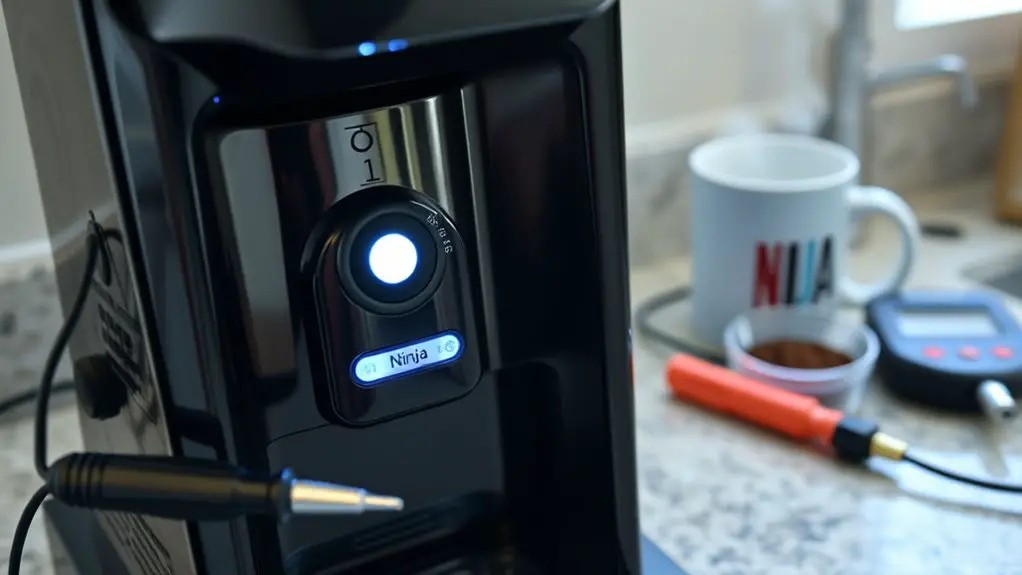
If your Ninja Coffee Maker won't stay on, first check the power source and verify it's plugged into a functional outlet. Inspect the power cord for damage and clean the coffee maker, including the brew basket and water reservoir. If the issue persists, try resetting the machine by unplugging it for 10 seconds or performing a factory reset by holding the "Clean" button. Stay tuned for more insights on troubleshooting and resolving persistent issues.
Check the Power Source
Before diving into more complex troubleshooting, the first step you should take is to check the power source. Start by ensuring the Ninja Coffee Maker is plugged securely into a functional power outlet. If it's connected, test the outlet with another device to confirm it's working; voltage issues could be the culprit. Use a multimeter to measure the voltage; it should typically read between 110-120 volts for most kitchen appliances. If the outlet isn't supplying adequate voltage or isn't functioning, consider resetting the circuit breaker or trying a different outlet. This simple check can save you time and effort before moving on to more intricate diagnostics. Always prioritize safety to maintain your freedom in the kitchen.
Inspect the Power Cord
After confirming that the power source is functional, the next step is to inspect the power cord for any visible damage or wear. Start with a thorough cord damage inspection; check for frays, cuts, or exposed wires. Pay close attention to both ends of the cord, as well as any points where it may bend frequently. If you notice any issues, it's vital to cease use immediately to avoid electrical hazards. Regular power cord maintenance is essential for safety and longevity. If the cord appears intact but the coffee maker still won't stay on, consider testing with another compatible appliance to rule out issues. Remember, a damaged power cord can compromise your coffee maker's functionality.
Clean the Coffee Maker
To guarantee your Ninja Coffee Maker operates efficiently, regular cleaning is essential. Build-up of coffee residue can hinder performance, leading to potential shutdowns. Start by performing a thorough cleaning every month:
| Cleaning Step | Description | Frequency |
|---|---|---|
| Empty the Carafe | Remove leftover coffee and rinse | After each use |
| Clean the Parts | Wash removable components with soap | Bi-weekly |
| Descaling Process | Use a vinegar-water solution | Monthly |
| Wipe the Exterior | Use a damp cloth to remove dust | Weekly |
| Rinse Thoroughly | Ascertain no cleaning agents remain | After each cleaning |
Regular cleaning, including the descaling process, helps prevent calcium deposits and limescale build-up in your machine.
Examine the Brew Basket
The brew basket is a crucial component of your Ninja Coffee Maker, and regular examination can help prevent brewing issues. Start by ensuring that the brew basket is clean and free of any coffee grounds or debris, as buildup can interfere with its performance. Next, check for proper brew basket alignment; it should sit snugly in its designated slot. If it's misaligned, it may not trigger the machine to stay on. For ideal brew basket maintenance, remove it occasionally and inspect the edges for wear or damage. Proper alignment and cleanliness not only enhance the brewing process but also extend the lifespan of your coffee maker. Taking these simple steps will keep your Ninja Coffee Maker functioning efficiently.
Verify the Water Reservoir
Ascertaining the water reservoir is functioning correctly is essential for ideal coffee brewing. A low water level can disrupt the brewing process and cause your Ninja Coffee Maker to shut off unexpectedly. Start by checking the water level; it should be above the minimum fill line. Additionally, inspect the reservoir for any clogs or debris that could affect water flow. Regular reservoir maintenance can prevent these issues.
Here's a quick reference table to help you:
| Step | Action | Notes |
|---|---|---|
| Check Water Level | Ascertain it's above minimum line | Fill if necessary |
| Inspect for Debris | Look for clogs or buildup | Clean if found |
| Securely Attach | Ascertain it's properly seated | Listen for clicks |
| Regular Maintenance | Clean weekly | Prevents future issues |
Reset the Coffee Maker
To reset your Ninja Coffee Maker, you'll first need to power cycle the machine. Unplug it from the outlet, wait for about 10 seconds, and then plug it back in. If issues persist, follow the factory reset steps outlined in your user manual to restore the device to its original settings.
Power Cycle Procedure
Whenever your Ninja Coffee Maker encounters issues such as failure to brew or unresponsive buttons, performing a power cycle can often resolve these problems effectively. Start by unplugging the coffee maker from the wall outlet. Wait at least 10-15 seconds to guarantee any residual power drains. This step is vital in power cycling, as it resets the internal electronics. After waiting, plug the coffee maker back into the outlet. Turn it on and check if the buttons respond normally. If the issue persists, it may be time to take into account other troubleshooting tips. Remember, power cycling is a simple yet often overlooked step that can restore functionality to your Ninja Coffee Maker without much effort.
Factory Reset Steps
If your Ninja Coffee Maker continues to malfunction after power cycling, performing a factory reset can often restore it to its original settings. Begin by unplugging the machine from the power source. Wait for at least 10 seconds before plugging it back in. Once plugged in, press and hold the "Clean" button for five seconds. You'll see the display flash, indicating the reset process has started. After it completes, your settings will return to factory defaults. This factory reset benefits you by eliminating any lingering software glitches that might interfere with normal operation. Combine this step with other troubleshooting techniques for a thorough approach to fixing your coffee maker. Enjoy your fresh brew without interruptions!
Look for Error Messages
When troubleshooting your Ninja Coffee Maker, start by checking for any error messages displayed on the screen. Common error codes can indicate specific issues, so it's essential to interpret these messages accurately. Understanding the display notifications will help you diagnose the problem effectively and determine the appropriate steps for resolution.
Common Error Codes
Understanding common error codes on your Ninja Coffee Maker is essential for effective troubleshooting. When you encounter an error code, it's important to identify the specific message displayed. Each code corresponds to a particular issue, guiding you toward the solution. For instance, an "E1" error might indicate a problem with the water reservoir, while "E2" could signal a heating element concern. By familiarizing yourself with these display error meanings, you can streamline your error code troubleshooting process. Always consult the user manual for a thorough list of codes and their meanings. Addressing these issues promptly not only restores functionality but also enhances your brewing experience, giving you the freedom to enjoy your coffee without interruptions.
Interpret Display Messages
How can you effectively interpret the display messages on your Ninja Coffee Maker? Understanding these messages is essential for successful display troubleshooting and ensuring your machine operates smoothly. Here's a quick guide to help you with message interpretation:
| Message | Meaning | Action Required |
|---|---|---|
| "Fill Water" | Water reservoir is empty | Refill the water reservoir |
| "Clean Me" | Descale needed | Follow descaling instructions |
| "Brew Error" | Issue during brewing process | Check for blockages or reset |
Contact Customer Support
If you've exhausted all troubleshooting options and your Ninja Coffee Maker still isn't functioning properly, reaching out to customer support can provide the guidance you need. Here's how to make the most of your contact:
- Gather Information: Have your model number, purchase date, and warranty information ready.
- Visit the Website: Navigate to Ninja's official site for support resources.
- Contact Methods: Choose how to reach them—via phone, email, or live chat.
- Be Specific: Clearly describe the issue, mentioning any error codes or symptoms.
Frequently Asked Questions
How Often Should I Clean My Ninja Coffee Maker?
You should clean your Ninja coffee maker every three months for ideal performance. Establishing a cleaning schedule and following maintenance tips, like descaling regularly, guarantees your machine stays in peak condition, delivering delicious coffee consistently.
Can a Faulty Outlet Cause My Coffee Maker Issues?
Yes, a faulty outlet can definitely cause your coffee maker issues. Conduct an outlet inspection to check for power fluctuations, which might disrupt the power supply, leading to inconsistent operation or failure to stay on.
What Warranty Options Are Available for My Ninja Coffee Maker?
You might be surprised to learn your Ninja coffee maker's warranty coverage can vary. By registering your product, you access potential benefits, ensuring you're protected against defects and enjoy your coffee experience without worry.
Are There Specific Cleaning Products for the Coffee Maker?
For your coffee maker, it's crucial to use specific cleaning solutions designed for appliances. Regularly following maintenance tips, like descaling, guarantees peak performance and longevity, allowing you the freedom to enjoy great coffee every time.
How Do I Troubleshoot a Brewing Error?
To troubleshoot a brewing error, check for error codes on the display. Verify the brewing temperature is set correctly, and recalibrate if necessary. Review the user manual for specific error code meanings and solutions.