
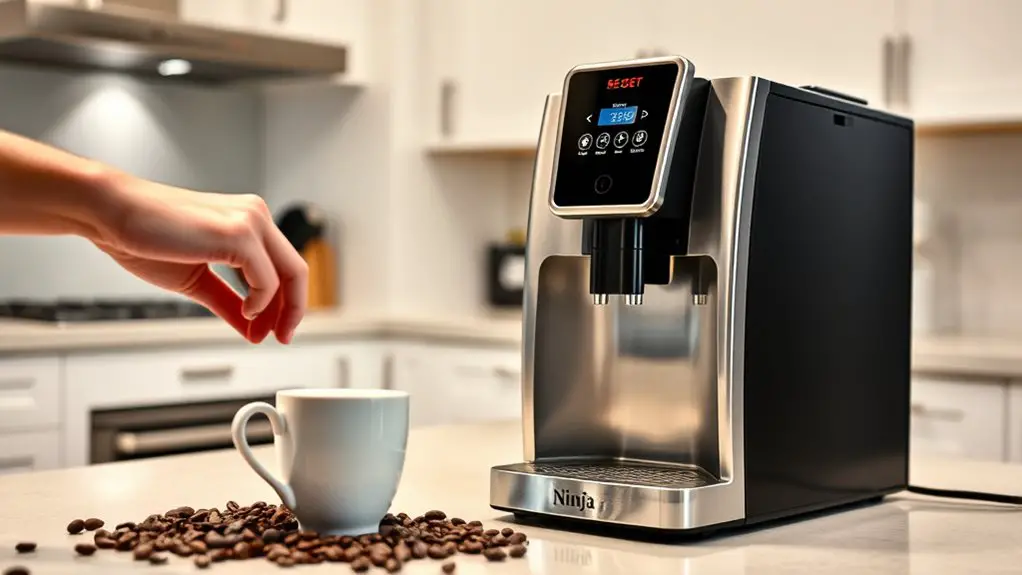
If your Ninja Coffee Bar is beeping and not brewing, it's likely due to an empty water reservoir, a clogged filter, or a malfunctioning brew basket. To reset it, unplug the machine for 10 seconds, then hold the "Clean" button while plugging it back in. Confirm all components, including the water level and brew basket, are properly seated and free of obstructions. For effective troubleshooting and maintenance tips, continue with more detailed steps.
Understanding the Beeping Issue
If you've noticed your Ninja Coffee Bar beeping without brewing, it's important to understand the underlying reasons for this issue. The beeping patterns can indicate various states of the machine, often linked to its operational readiness. Familiarizing yourself with these patterns is essential for effective troubleshooting techniques. For instance, a continuous beep may signal that the reservoir is empty, while a series of short beeps might suggest a potential blockage or malfunction. By interpreting these signals correctly, you can quickly address the problem, freeing yourself from the frustration of a non-brewing coffee maker. Take the time to consult the user manual, and apply the appropriate troubleshooting techniques to restore your Ninja Coffee Bar to proper functioning.
Common Causes of Beeping
When your Ninja Coffee Bar starts beeping, it can be due to several common causes related to its operational status. One frequent reason is that the water reservoir is empty, triggering beeping sounds to alert you. Additionally, if the brew basket isn't properly seated, the machine may beep to indicate this troubleshooting issue. Clogged filters can also lead to inadequate water flow, resulting in persistent beeping. Another potential cause is a fault in the internal components, which may require professional attention. Finally, if the machine is overheated, it may beep as a safety warning. Identifying these causes is essential for restoring your coffee maker's functionality and ensuring a hassle-free brewing experience.
Preparing for the Reset
Addressing the beeping issue is often the first step, but preparing for a reset of your Ninja Coffee Bar is important to guarantee a smooth process. Start by unplugging the machine and clearing the area around it. Gather your user manual for guidance, as it provides essential insights for coffee machine troubleshooting.
| Step | Action |
|---|---|
| 1. Unplug the device | Disconnect from power |
| 2. Clear surroundings | Remove any obstructions |
| 3. Check the manual | Find troubleshooting tips |
| 4. Gather tools | Prepare any needed items |
Steps to Reset Your Ninja Coffee Bar
To effectively reset your Ninja Coffee Bar, follow a systematic approach that guarantees all settings return to their default state. This process is essential for efficient coffee brewing and effective machine troubleshooting. Here's how you can reset your machine:
To reset your Ninja Coffee Bar, follow these steps to restore it to its default settings for optimal performance.
- Unplug the coffee bar from the power source and wait for 5 minutes.
- Press and hold the "Clean" button for 5 seconds while plugged in. This action clears previous settings.
- Plug the machine back in and turn it on, ensuring all lights reset to their original state.
Checking the Water Reservoir
Checking the water reservoir is essential for guaranteeing your Ninja Coffee Bar operates efficiently. Start by inspecting the water level; it should be adequate for brewing. If it's low, fill it up to the appropriate mark to avoid beeping errors. Regular reservoir cleaning is also vital. Over time, mineral deposits can accumulate, affecting performance. To clean, empty the reservoir and rinse it with warm, soapy water, then thoroughly rinse again to remove any soap residue. Verify the reservoir is completely dry before reattaching it. By maintaining both the water level and cleanliness of the reservoir, you'll help your Ninja Coffee Bar function effectively, providing you the freedom to enjoy your favorite brews without interruption.
Inspecting the Brew Basket
Inspecting the brew basket is essential for ensuring your Ninja Coffee Bar brews properly. If your machine's beeping and not brewing, follow these steps to check the brew basket:
Inspecting the brew basket is crucial for your Ninja Coffee Bar to function correctly and brew delicious coffee.
- Check for Obstructions: Remove the brew basket and inspect for any coffee grounds or debris blocking the filter area.
- Ensure Proper Seating: Make sure the brew basket is correctly seated back into the machine. An improper fit can disrupt brewing.
- Examine the Filter: If you're using a reusable filter, check for any tears or damage that could affect water flow.
Cleaning the Machine
To guarantee your Ninja Coffee Bar functions at its best, establishing a regular cleaning schedule is essential. This includes understanding the descaling process to remove mineral buildup and knowing which cleaning tools are necessary for effective maintenance. By keeping your machine clean, you'll enhance its performance and longevity.
Regular Cleaning Schedule
While it may seem tempting to skip regular cleaning, maintaining a consistent cleaning schedule for your Ninja Coffee Bar is crucial for peak performance and longevity. Establishing a cleaning frequency helps prevent buildup and guarantees your coffee tastes great. Here's a quick maintenance checklist to follow:
- Daily: Rinse the brew basket and carafe after each use to remove coffee oils.
- Weekly: Clean the exterior and the water reservoir with a damp cloth to avoid residue buildup.
- Monthly: Remove and wash the permanent filter and perform a thorough clean of the brew system.
Following these steps not only enhances your coffee experience but also extends the life of your machine, giving you the freedom to enjoy great coffee every day.
Descaling Process Explained
Descaling your Ninja Coffee Bar is essential for maintaining peak performance, especially if you notice decreased brewing efficiency or unusual beeping sounds. Over time, mineral buildup from hard water can affect your machine's functionality. To effectively descale, use a suitable descaling solution designed for coffee machines. Start by filling the water reservoir with the solution mixed per the manufacturer's instructions. Run a brew cycle without coffee grounds, allowing the solution to circulate through the system. After the cycle, run two to three cycles with fresh water to rinse out any remaining solution. This process not only removes mineral deposits but also enhances your coffee's flavor and preserves the machine's longevity, ensuring you enjoy the freedom of great coffee every day.
Essential Cleaning Tools
After ensuring your Ninja Coffee Bar is free from mineral buildup through descaling, it's important to keep the machine clean using appropriate tools. Having the right cleaning supplies and maintenance tools can make a significant difference in your coffee experience. Here are three essential items you'll need:
- Microfiber Cloth: Ideal for wiping down the exterior and keeping it free of dust and fingerprints.
- Soft-Bristled Brush: Perfect for reaching tight spots and removing coffee residue from hard-to-access areas.
- Dish Soap or Vinegar: Effective for cleaning carafes and removable parts, ensuring they're free of oils and buildup.
Testing the Coffee Maker
To test your Ninja Coffee Bar, start by power cycling the machine to reset any temporary issues. Next, check your brew settings to verify they're configured correctly for your desired coffee type. This process will help identify any operational faults before further troubleshooting.
Power Cycle the Machine
If your Ninja Coffee Bar is beeping but not brewing, power cycling the machine can often resolve the issue. This simple step is essential for effective machine maintenance and can restore your coffee brewing capabilities. Here's how to do it:
- Unplug the coffee maker: Disconnect it from the power source for at least 10 seconds.
- Wait and reconnect: Plug the machine back in and allow it to sit for another 10 seconds.
- Turn it on: Press the power button to restart the coffee maker.
Check Brew Settings
Before diving deeper into troubleshooting, it's crucial to check your brew settings, as incorrect configurations can lead to the Ninja Coffee Bar beeping without brewing. Start by verifying the brew temperature; if it's set too low, the machine may not activate properly. Adjust it to your preference, but remember that extreme settings can affect the brewing process. Next, examine the brew strength setting. If it's set to a level that your machine can't handle, it might trigger the beeping alert. Verify that both settings align with the type of coffee you're using. Once you've made these adjustments, try brewing again. If the issue persists, further troubleshooting may be necessary.
Preventive Maintenance Tips
While regular use of your Ninja Coffee Bar can lead to delicious brews, neglecting preventive maintenance may result in beeping issues and brewing malfunctions. To keep your machine running smoothly, establish a maintenance schedule that includes the following preventive cleaning practices:
- Monthly Descaling: Use a descaling solution to remove mineral buildup and guarantee peak performance.
- Weekly Cleaning: Clean the brew basket, carafe, and water reservoir with warm, soapy water to eliminate coffee oils and residues.
- Daily Rinse: After each use, rinse components thoroughly to prevent any lingering flavors and maintain freshness.
Frequently Asked Questions
Does the Beeping Indicate a Malfunction or Just a Warning?
The beeping could signal various issues, from simple alerts to potential malfunctions. It's essential you explore possible beeping causes and apply troubleshooting tips to diagnose and resolve the problem effectively, ensuring your machine functions at its best.
Can I Manually Override the Beeping Sound?
Imagine a symphony interrupted by incessant beeping. You can't manually override the sound, but exploring beeping solutions might offer control. Check settings for any options to minimize alerts, granting you freedom from annoying distractions.
What Does a Constant Beep Mean?
A constant beep usually indicates a brewing issue, like a blockage or insufficient water. This beep means your machine's alerting you to resolve the problem before it can continue brewing your coffee.
How Often Should I Clean My Ninja Coffee Bar?
You should clean your Ninja Coffee Bar every 60 uses for peak performance. Regular cleaning frequency guarantees longevity and efficiency. Follow maintenance tips like descaling and rinsing to keep your machine in top shape.
Is My Warranty Affected by Resetting the Machine?
Over 70% of appliance warranties remain intact after simple resets. However, warranty terms may vary, so it's crucial to consult your manual. Generally, the reset process shouldn't affect your warranty if done correctly.