
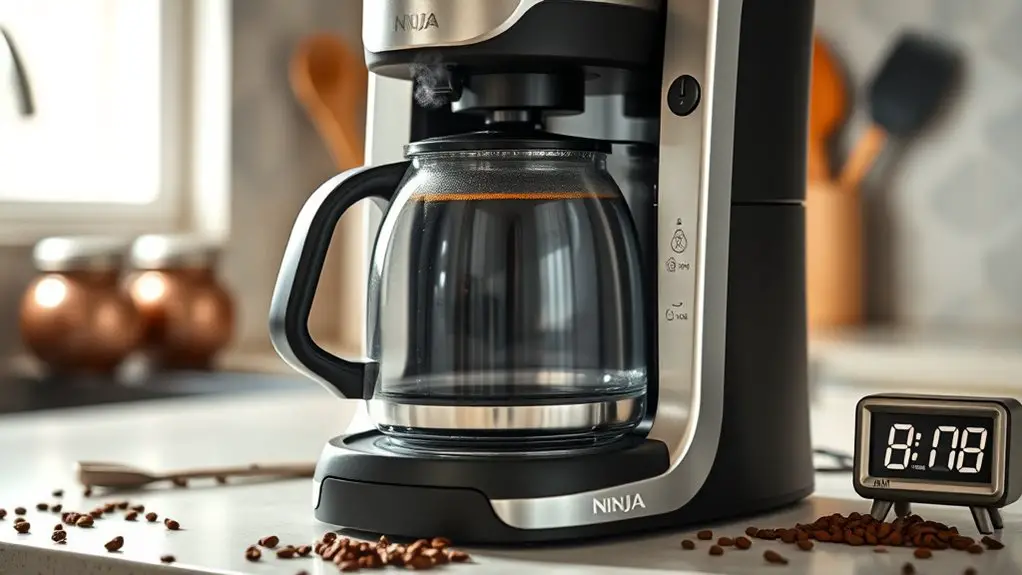
If your Ninja coffee maker isn't brewing, check a few common issues. Confirm your water reservoir is filled to the recommended level and properly aligned. Incorrect settings like brew size, strength, or temperature can also cause problems. Clogs from coffee grounds or mineral buildup might restrict brewing pressure, so inspect and clean the filters. Finally, verify the power supply and connections. Addressing these areas can resolve most brewing issues, and you'll discover more tips to enhance your coffee experience.
Common User Errors
Sometimes, users might overlook simple factors that prevent their Ninja coffee maker from brewing properly. One common issue is incorrect user settings. Confirm that you've selected the right brew size and strength; an improper selection can lead to inadequate brewing. Additionally, check the brew temperature. If it's set too low, your coffee won't extract properly, resulting in a subpar cup. Familiarize yourself with the machine's features, as adjusting these settings can greatly enhance your brewing experience. Remember, a well-calibrated machine is key to releasing the full potential of your coffee. Always consult the user manual for specific instructions tailored to your model, empowering you to achieve your desired brew every time.
Water Reservoir Issues
One of the primary reasons your Ninja coffee maker may not brew is due to issues with the water reservoir. First, check the water level; if it's too low, the machine won't function properly. Verify the reservoir is filled to the recommended line. Next, examine the reservoir alignment. If it's not seated correctly in the base, your coffee maker may fail to detect it, resulting in no brewing action. Misalignment can also lead to leaks, which can further hinder performance. Make sure to properly attach the reservoir, confirming it clicks into place. By addressing these water reservoir issues, you can restore your coffee maker's functionality and enjoy your desired brew without interruption.
Clogged Coffee Maker Components
If you've checked the water reservoir and it's functioning correctly, the next potential issue could be clogged components within the coffee maker. Over time, coffee grounds and mineral buildup can lead to clogged filters, obstructing the flow of water. If the filter is blocked, it may restrict brewing pressure, resulting in weak or incomplete coffee. Additionally, blocked hoses can prevent water from reaching the brewing chamber. Be certain to inspect and clean all filters regularly, and consider descaling your coffee maker to remove mineral deposits. Regular descaling is essential for maintaining performance and can help prevent further clogging issues. If you notice any resistance while brewing, it's a strong sign that something's clogged. Addressing these issues can restore your coffee maker's performance and guarantee you enjoy your coffee freely.
Electrical and Power Problems
Even when all other components appear to be functioning, electrical and power problems can prevent your Ninja coffee maker from brewing. First, check your power supply; verify it's plugged in securely and the outlet works. If you're using an extension cord, it might not support the coffee maker's power needs. Next, inspect the power button and any indicator lights for functionality. If they're unresponsive, you may have a faulty unit or internal wiring issues. For effective coffee maker troubleshooting, consider testing the coffee maker in a different outlet. If it still fails, you may need to consult customer support or a technician to address deeper power supply issues. Remember, electrical problems can often lead to significant malfunctions.
Maintenance and Cleaning Tips
While your Ninja coffee maker is designed for durability, regular maintenance and cleaning are essential to guarantee peak performance and longevity. To keep your machine brewing efficiently, make sure you're replacing the coffee filter regularly, ideally after every few brews. This prevents clogging and guarantees a clean cup of coffee. Additionally, you should perform the descaling process every three to six months, depending on your water quality. Use a mixture of equal parts white vinegar and water, run it through the machine, and follow with a few cycles of clean water to flush out any residue. By following these simple steps, you'll enhance the functionality of your coffee maker and enjoy a consistently excellent brew. It's also important to check for excess coffee grounds to avoid potential overflow issues during brewing.
Frequently Asked Questions
Can I Use Coffee Pods in My Ninja Coffee Maker?
You can use coffee pods in your Ninja coffee maker, given its coffee pod compatibility. Just select the appropriate brewing method. This flexibility allows you to enjoy convenience without sacrificing your coffee experience.
What Type of Coffee Grounds Should I Use?
So, you think any coffee grind will do? Think again! For the best results, use medium grind for drip brewing, fine for espresso, and coarse for French press. Master those brew techniques for coffee freedom!
Does My Ninja Coffee Maker Have a Warranty?
Yes, your Ninja coffee maker typically comes with warranty details that cover manufacturing defects. Confirm you register your product to take full advantage of the warranty coverage, which often lasts one year from the purchase date.
How Do I Reset My Ninja Coffee Maker?
To reset your Ninja coffee maker, unplug it for a few minutes. Then, plug it back in. Follow the reset process outlined in the troubleshooting tips section of your user manual for further assistance.
What Should I Do if My Coffee Tastes Burnt?
If your coffee tastes burnt, evaluate your brewing techniques and guarantee you're using fresh coffee. Adjust the grind size, water temperature, and brewing time to enhance flavor and prevent over-extraction that leads to that burnt taste.