
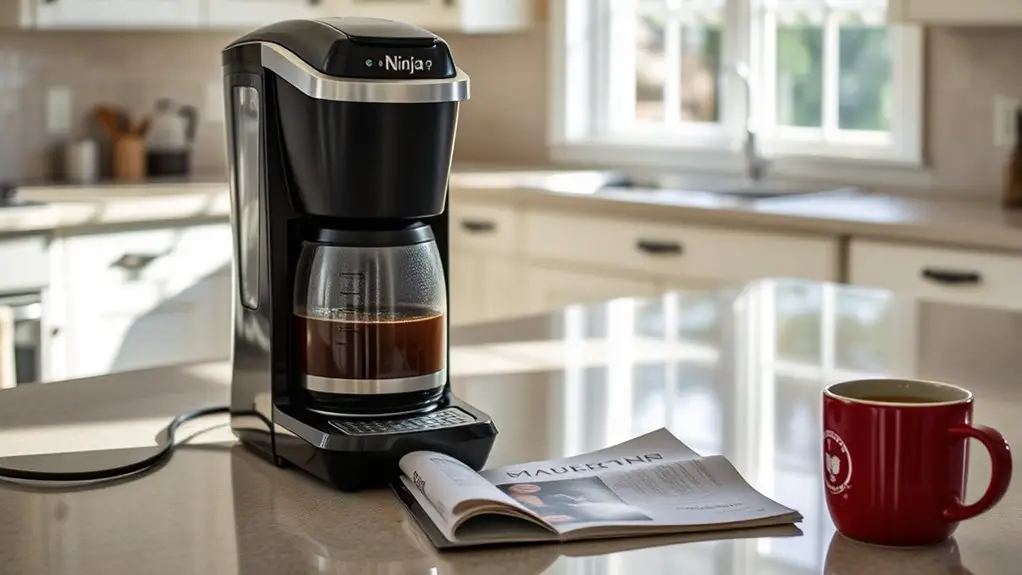
If your Ninja coffee maker isn't brewing, first check the power source to confirm it's plugged in and the outlet is functioning. Next, inspect the water reservoir for the adequate water level and any blockages. Clean both the brew basket and carafe regularly to prevent buildup. Make sure the coffee grounds are fresh and properly ground. Finally, verify that the right settings are selected for brewing. There are more troubleshooting steps to take into account for a quick fix.
Check the Power Source
Before diving into more complex troubleshooting steps, it's important to check the power source of your Ninja Coffee Maker, as many issues stem from a simple lack of electricity. Start by ensuring the unit's plugged into a working outlet. If you've experienced a power surge recently, it could've affected the outlet's functionality. To test this, plug another appliance into the same outlet; if it doesn't work, you may be dealing with a faulty outlet. Additionally, examine the power cord for any visible damage or wear. If everything checks out, consider using a different outlet or power strip to rule out any electrical issues. Remember, a reliable power source is essential for your coffee maker to operate effectively.
Inspect the Water Reservoir
To troubleshoot your Ninja coffee maker, start by inspecting the water reservoir. Verify the water level is adequate, as a low level can prevent brewing. Additionally, check for any blockages in the reservoir that might obstruct water flow, as this can also halt the brewing process.
Check Water Level
Inspecting the water reservoir is essential for guaranteeing your Ninja Coffee Maker functions properly. When troubleshooting coffee machine issues, start by checking the water level in the reservoir. If it's too low, your coffee maker won't brew, leading to frustrating brewing issues. Make sure the water level is above the minimum fill line; otherwise, your machine may not have enough water to operate effectively. If you're using a larger brew size, fill the reservoir accordingly. Additionally, verify that the water is fresh and clean, as stale water can affect flavor and performance. By confirming that the water level is adequate, you'll enhance your coffee-making experience and help prevent future problems.
Inspect for Blockages
Since blockages can hinder your Ninja Coffee Maker's performance, it's crucial to inspect the water reservoir thoroughly. Regular coffee maker maintenance involves checking for any obstructions that could affect brewing. Here are some troubleshooting techniques to follow:
- Remove the Reservoir: Take out the water reservoir and check for any visible debris or buildup.
- Inspect Inlet Holes: Look for any blockages in the inlet holes where water flows into the brewing system.
- Clean the Reservoir: Wash the reservoir with warm, soapy water to eliminate any residue.
- Rinse and Dry: Rinse it thoroughly and verify it's completely dry before reattaching.
Clean the Brew Basket and Carafe
To guarantee peak performance, you should establish a regular cleaning schedule for the brew basket and carafe. Inspect both components for any coffee residue, as buildup can obstruct proper brewing. Additionally, verify that all parts are correctly assembled to avoid any malfunction during the brewing process.
Regular Cleaning Schedule
Although you might not realize it, a regular cleaning schedule is essential for maintaining your Ninja coffee maker's performance and ensuring that each brew tastes fresh. Implementing a routine will help prevent buildup and extend the life of your machine. Here are some cleaning tips to follow:
- Daily: Rinse the brew basket and carafe with hot water after each use.
- Weekly: Deep clean the brew basket and carafe with mild soap and warm water.
- Monthly: Run a vinegar solution through the brewing system to descale.
- Quarterly: Check all removable parts for wear and replace them as necessary.
Inspect for Residue
Even with a regular cleaning schedule, residue can still accumulate in the brew basket and carafe, impacting the quality of your coffee. To guarantee a great brew, regularly inspect these components for coffee residue. Start by removing the brew basket and emptying any leftover grounds. Use warm, soapy water and a soft brush to scrub the brew basket, making sure you reach all corners where residue may hide. For the carafe, a mixture of vinegar and water can effectively break down any stubborn residue. Rinse both thoroughly to avoid any lingering flavors. Employ these cleaning techniques consistently, and your Ninja Coffee Maker will reward you with the rich, flavorful coffee you crave, free from unwanted tastes.
Proper Assembly Required
Confirming that your Ninja Coffee Maker is properly assembled is vital for ideal brewing performance. A clean brew basket and carafe are significant components of effective coffee maker assembly. If you're facing issues, follow these troubleshooting tips:
- Remove the Brew Basket: Take it out and wash it thoroughly with warm, soapy water to eliminate any coffee residue.
- Clean the Carafe: Rinse the carafe with hot water to remove any leftover coffee oils.
- Reassemble Carefully: Make sure the brew basket is securely placed back in its slot.
- Check All Components: Inspect that all parts are correctly attached and undamaged.
Taking these steps confirms your coffee maker operates smoothly, giving you the freedom to enjoy a perfect brew every time.
Examine the Coffee Grounds
When troubleshooting your Ninja coffee maker, one of the first things you should do is examine the coffee grounds. Start by checking the coffee grind size; if it's too fine, it can clog your filter, preventing proper brewing. A coarser grind is generally more suitable for your machine, allowing water to flow through effectively. Next, consider the freshness factor. Stale coffee grounds lose flavor and can negatively impact the brewing process. Ideally, you should use freshly ground coffee for the best results. If you're using pre-ground coffee, verify it's within a few weeks of its roast date. By addressing these aspects, you can enhance your coffee maker's performance and enjoy a better cup of coffee.
Verify the Settings and Program
After checking the coffee grounds, the next step is to verify the settings and program on your Ninja coffee maker. Confirming everything is correctly set can prevent brewing issues. Here's what to check:
- Program Settings: Make sure you've selected the right program for your desired brew; options may vary by model.
- Brew Options: Confirm that you've chosen the correct brew size and strength settings for your needs.
- Water Reservoir: Verify that the water reservoir is filled to the right level, as insufficient water can halt the brewing process.
- Delay Brew Feature: If you've set a delayed brew, confirm the current time is accurate to avoid confusion.
Additionally, using medium grind coffee can enhance flavor extraction and improve your overall brewing experience. Double-checking these elements can help you enjoy a smooth brewing experience.
Perform a Descaling Process
If your Ninja coffee maker isn't brewing properly, it might be due to mineral buildup that can affect its performance, so performing a descaling process is crucial for maintaining peak function. Start by checking your brewing frequency; if you use hard water often, descaling should be done every few months. To begin, mix a descaling solution with water per the manufacturer's instructions. Fill the water reservoir with this mixture and start a brew cycle without coffee grounds. Once it's done, run two cycles with clean water to rinse any remaining solution. Regular descaling keeps your machine running smoothly and extends its lifespan, ensuring you enjoy great coffee every time. Don't skip this important maintenance step!
Frequently Asked Questions
Can I Use Coffee Pods With My Ninja Coffee Maker?
Absolutely, you can use coffee pods with your Ninja coffee maker! It offers impressive coffee pod compatibility, allowing diverse brewing options. Just guarantee you've got the right adapter for seamless brewing—freedom to enjoy your favorite coffee flavors!
How Often Should I Clean My Ninja Coffee Maker?
You should clean your Ninja coffee maker every three to six months. Regular maintenance tips include descaling with vinegar or a commercial solution, ensuring peak performance, and prolonging the lifespan of your machine for uninterrupted brewing freedom.
What Type of Coffee Grounds Should I Use?
For ideal flavor, use medium grind sizes for drip brewing methods like your Ninja coffee maker. Coarse grinds suit French press, while fine grinds work best for espresso. Experimenting with grind sizes can enhance your coffee experience.
Is My Ninja Coffee Maker Covered Under Warranty?
To determine if your Ninja Coffee Maker's covered under warranty, check the warranty details provided at purchase. Typically, warranty duration lasts one year, covering defects but not misuse or normal wear. Always keep your receipt handy.
How Do I Reset My Ninja Coffee Maker?
To reset your Ninja coffee maker, unplug it for 10 seconds, then plug it back in. Follow troubleshooting tips in the manual to guarantee proper functionality and maintain peak brewing performance for your coffee enjoyment.