
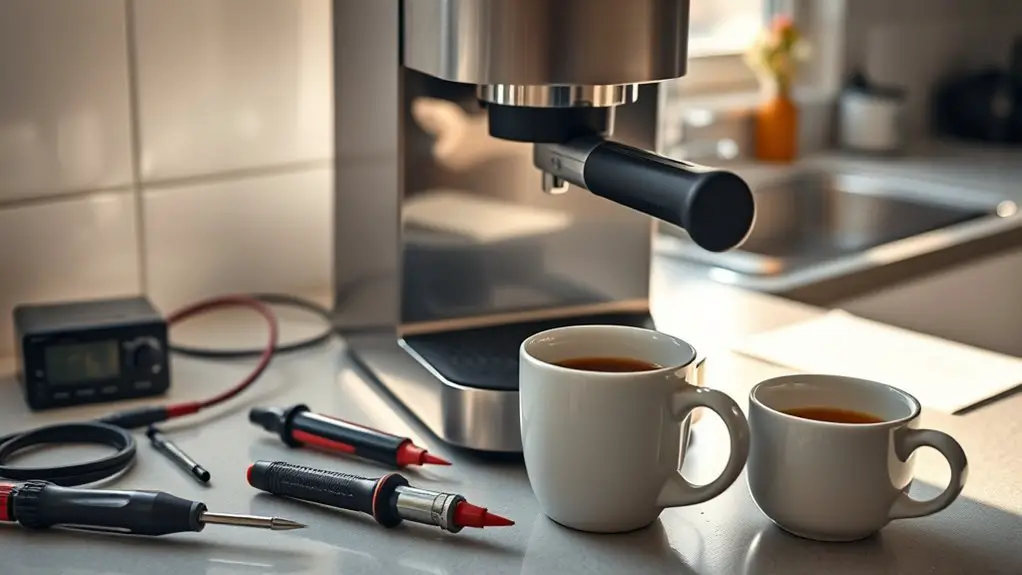
If your coffee maker won't turn on, start by checking the power source. Verify it's plugged into a working outlet and try a different one if needed. Inspect the power cord for frays and examine the plug for burn marks. Next, look at the control panel for stuck buttons or error codes. Don't forget to clean the machine regularly; residual build-up can cause issues. If problems persist, you might want to explore further troubleshooting or replacement options.
Check the Power Source
Before diving into troubleshooting your coffee maker, the first step is to check the power source. Start by ensuring your coffee maker is plugged into a functioning power outlet. Try a different outlet if you're unsure; sometimes, outlets can malfunction. If you're using a faulty extension cord, remove it from the equation. Extension cords can often limit power flow or become damaged over time, which could prevent your coffee maker from receiving adequate power. Make sure the outlet is live by testing it with another device. If everything checks out but your coffee maker remains unresponsive, you may need to look deeper into potential internal issues. Prioritizing the power source is vital for a straightforward resolution.
Inspect the Power Cord and Plug
After verifying the power source is functioning, the next step is to inspect the power cord and plug for any visible damage or wear. A damaged power cord or plug can prevent your coffee maker from turning on. Carefully examine these components for issues that might compromise electrical flow.
Consider the following checklist:
- Fraying or Cuts: Look for any signs of fraying or cuts in the insulation.
- Burn Marks: Check for any discoloration or burn marks on the plug.
- Loose Connections: Confirm the plug fits snugly in the outlet without wobbling.
- Corrosion: Inspect the metal prongs for rust or corrosion, which can indicate plug damage.
Address any issues found to restore functionality.
Examine the Control Panel and Settings
If the power cord and plug are in good condition, the next step is to examine the control panel and settings of your coffee maker. Start by checking for any visible damage or malfunction indicators on the control panel. Verify all buttons are functioning and not stuck. Look for any specific error codes displayed; these can guide you on necessary setting adjustments. Review the settings you've programmed; sometimes, incorrect timers or modes can prevent operation. If your coffee maker has a digital display, navigate through the menu to reset or recalibrate settings. Be meticulous in adjusting any unintended configurations, as even minor oversights can hinder performance. This methodical approach can often restore your coffee maker's functionality. Additionally, confirm that there are no issues with the power outlet, as problems in the circuit board can lead to power failure.
Clean the Coffee Maker
Regular maintenance is essential for ideal coffee maker performance, and cleaning is a crucial part of that process. Neglecting to address coffee stains and residue can lead to malfunctions. Here are some effective maintenance tips for cleaning your coffee maker:
- Descale Regularly: Use a vinegar-water solution to remove mineral buildup.
- Wash Removable Parts: Clean the carafe, filter basket, and water reservoir with warm soapy water.
- Wipe Exterior Surfaces: Use a damp cloth to remove any spills or coffee stains on the outside.
- Run a Brew Cycle with Water: After descaling, run a cycle with just water to flush out any remaining residues. Regular descaling of your coffee maker helps ensure optimal performance and longevity.
Seek Professional Help or Consider Replacement
When your coffee maker shows signs of persistent issues despite regular maintenance, it might be time to seek professional help or consider replacement. If you've already attempted troubleshooting steps—like checking power sources and cleaning the internal components—turning to professional services may be your next best option. Technicians can diagnose underlying electrical or mechanical failures that you might overlook.
Alternatively, if repair costs are high or parts are obsolete, exploring equipment alternatives could be more beneficial. Modern coffee makers offer advanced features, energy efficiency, and improved brewing capabilities. Ultimately, weigh the costs of repair against the benefits of investing in a new machine to guarantee you can enjoy your coffee without interruption.
Frequently Asked Questions
Can a Faulty Outlet Cause My Coffee Maker to Not Turn On?
Yes, a faulty outlet can definitely cause your coffee maker not to turn on. You should perform outlet testing to check for circuit issues, ensuring proper voltage and functionality before assuming the coffee maker is defective.
How Can I Tell if My Coffee Maker Is Under Warranty?
Like checking a compass before a journey, you'll want to verify your coffee maker's warranty. Look for the warranty duration in the manual or online, and contact customer service for warranty verification. Don't get lost!
What Common Mistakes Might Prevent My Coffee Maker From Starting?
If your coffee maker isn't starting, check for coffee grounds clogging the filter, or a recent power surge that might've tripped the circuit. Confirm it's plugged in securely and the settings are correctly adjusted.
Is It Safe to Use an Extension Cord With My Coffee Maker?
Using an extension cord with your coffee maker isn't recommended due to potential extension cord safety issues. Always follow coffee maker guidelines, ensuring it's plugged directly into a wall outlet for ideal performance and safety.
How Often Should I Replace My Coffee Maker for Optimal Performance?
To maintain ideal brewing, consider replacing your coffee maker every 5 to 7 years. This lifespan guarantees consistent performance, as older models may struggle with efficiency, impacting flavor and overall coffee quality. Regular updates keep your experience enjoyable.