
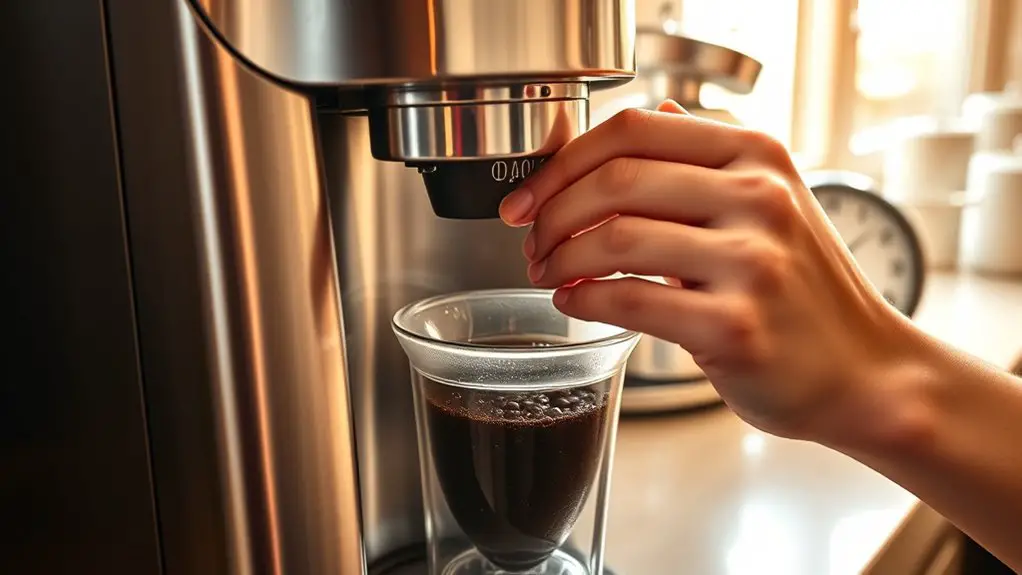
If your Ninja Coffee Bar is brewing too slowly, start by checking for clogged filters and clean or replace them as needed. Inspect the water reservoir for residue or clogs, and make certain you're using filtered water. Clean the brew basket and carafe, and check the water temperature—ideal is between 195°F and 205°F. Running a descaling cycle can also help remove mineral buildup. If issues persist, customer support can provide further assistance, and more solutions await you.
Check for Clogged Filters
One of the first steps in troubleshooting your Ninja Coffee Bar is to check for clogged filters. Regular filter maintenance is vital for peak brewing efficiency. Start by removing the filter basket and inspecting the filter for any signs of buildup or residue. If the filter appears dirty or clogged, it's important to clean it thoroughly or replace it if necessary. Rinse it under warm running water, making sure you remove all coffee oils and particles. For permanent filters, a gentle scrub with a soft brush can help. After confirming the filter is clean, reassemble the coffee bar and test it. A clean filter not only enhances the flavor but also guarantees your machine brews efficiently, giving you the freedom to enjoy your coffee without delays.
Inspect the Water Reservoir
To guarantee your Ninja Coffee Bar operates effectively, start by inspecting the water reservoir for any clogs. Check the water level to confirm it's adequate for brewing. Addressing these issues can prevent brewing interruptions and enhance your coffee experience.
Check for Clogs
Before attempting any repairs, it is crucial to check for clogs in the water reservoir of your Ninja Coffee Bar, as this can greatly impact its performance. Clogged pipes can restrict water flow, causing your machine to brew slowly.
Inspect the reservoir for:
- Coffee grind residue clinging to the sides
- Mineral deposits from hard water buildup
- Debris from your environment
- Air bubbles trapped in the system
If you notice any of these issues, clean the reservoir thoroughly. Use a vinegar solution or a descaling agent to clear out any stubborn clogs. Ensuring the water reservoir is free of obstructions will help restore your Ninja Coffee Bar to its ideal brewing efficiency.
Inspect Water Level
After verifying the water reservoir is clear of clogs, the next step is to inspect the water level. Make sure the reservoir is filled to the appropriate level based on your desired brewing technique. Insufficient water can lead to slow brewing and poor extraction, affecting your coffee's flavor and aroma. Additionally, consider using filtered water to enhance water quality, as impurities can also slow down the brewing process. If the water level is too low, refill it, and if it's too high, remove excess water. Always verify that the reservoir is properly seated in the machine, as misalignment can disrupt flow and brewing efficiency. By maintaining ideal water levels, you'll achieve a consistently satisfying cup of coffee.
Clean the Brew Basket and Carafe
A clean brew basket and coffee carafe are essential for ideal coffee flavor and machine performance. Over time, oils and coffee residue can accumulate, impacting both taste and efficiency. Here's how to clean them effectively:
- Remove the brew basket and rinse it under warm water.
- Use a soft brush to scrub away any stubborn residues.
- Fill your coffee carafe with warm, soapy water and let it soak.
- Rinse thoroughly to guarantee no soap remains. Regular cleaning of the brew basket helps prevent mineral buildup that can affect brewing speed and flavor.
Ensure Proper Water Temperature
Cleaning the brew basket and carafe is just one part of maintaining your Ninja Coffee Bar; ensuring the water temperature is ideal for brewing is equally important. The best water temperature for coffee brewing ranges between 195°F to 205°F. If your coffee's brewing efficiency is compromised, adjusting this temperature can make a significant difference.
| Water Temperature (°F) | Brewing Efficiency |
|---|---|
| Below 195 | Low |
| 195 – 205 | Best |
| Above 205 | Risk of bitterness |
To check if your Ninja Coffee Bar is reaching the correct temperature, you can use a digital thermometer. Ensuring the right water temperature will enhance flavor extraction and improve your overall coffee experience.
Run a Descaling Cycle
While regular maintenance is crucial for ideal performance, running a descaling cycle is essential for removing mineral buildup in your Ninja Coffee Bar. This buildup can hinder brewing efficiency, leading to slow extraction times. Here's how to run the descaling cycle effectively:
- Choose a suitable descaling solution, preferably one recommended by the manufacturer.
- Mix the descaling solution with water in the reservoir.
- Start the brewing process as you would with regular water, allowing the solution to flow through.
- Rinse thoroughly afterward by running a couple of cycles with plain water.
Contact Customer Support if Problems Persist
If you've completed the descaling cycle and other troubleshooting steps without success, it may be time to reach out to customer support. Ninja's customer service team is equipped to help you with technical issues that go beyond standard troubleshooting tips. When contacting them, have your model number and a detailed description of the problem ready, as this will expedite the process. Be clear about the steps you've taken so far so they can provide you with the most relevant advice. Don't hesitate to ask questions or request further assistance if needed. Empower yourself by utilizing this resource; customer support exists to enhance your coffee-making experience and guarantee your Ninja Coffee Bar works effectively.
Frequently Asked Questions
Can I Use Tap Water in My Ninja Coffee Bar?
You can use tap water in your Ninja Coffee Bar, but make certain its water quality is good. Poor quality can affect brewing temperature and taste, so consider filtering it for best flavor and performance.
How Often Should I Clean My Ninja Coffee Bar?
Imagine a gleaming coffee bar, ready to brew your perfect cup. For ideal performance, clean it every month. Regular maintenance tips include descaling and washing removable parts, ensuring your coffee experience remains rich and flavorful.
What Type of Coffee Grounds Should I Use?
For best results, use a medium grind size for most brewing methods. If you're experimenting, adjust the grind coarseness based on your preferred method, ensuring it complements the extraction time and achieves your desired flavor profile.
Is It Normal for the Coffee to Have a Bitter Taste?
It's common to encounter bitter coffee, often caused by over-extraction or high brewing temperatures. Make sure your coffee grounds are suitable and monitor the brewing temperature, as this greatly affects flavor and overall enjoyment.
Does the Ninja Coffee Bar Have a Warranty?
Imagine brewing your perfect cup, knowing your Ninja Coffee Bar's got your back. It does come with warranty details, offering warranty coverage for defects, so you're protected for a smoother coffee experience.