
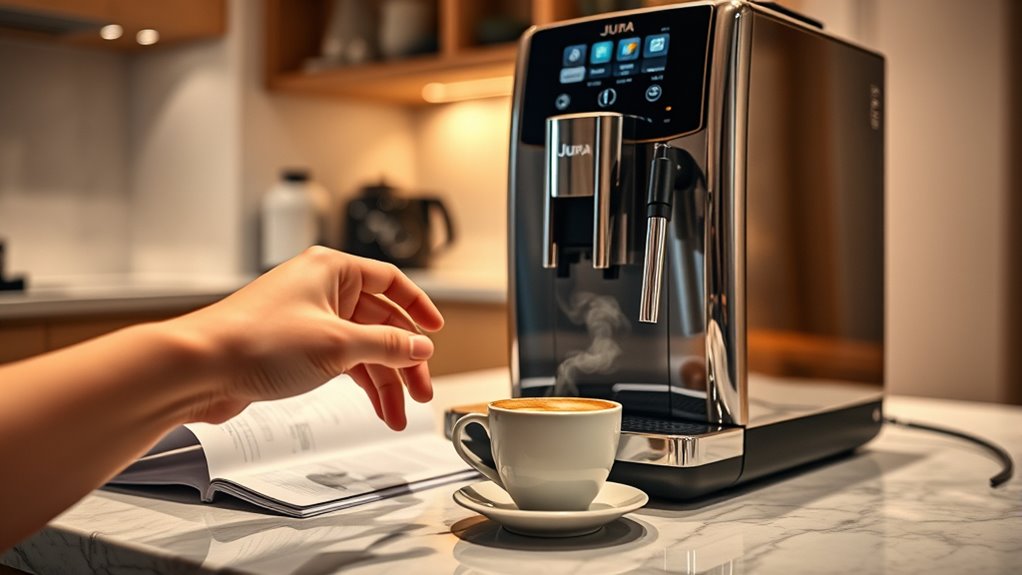
To reset your Jura coffee machine to factory settings, first make sure it's clean and powered on. Navigate to the menu using the rotary switch or touchscreen, select "Settings," then find the "Reset" option. Confirm your selection. After resetting, check for error messages, and run a test brew to make sure everything functions properly. Don't forget to adjust your coffee settings to match your taste preferences. If you're curious about maintenance tips and troubleshooting, there's more to explore.
Understanding the Importance of Resetting
Resetting your Jura coffee machine is essential for maintaining peak performance and longevity. By understanding the reset benefits, you can enhance your machine's functionality and make certain it operates smoothly. Regular resets can clear minor software glitches, which often impede brewing efficiency. Utilizing effective troubleshooting techniques allows you to identify and resolve issues before they escalate, making certain your coffee experience remains uninterrupted. A reset can also restore factory settings, giving you a fresh start and ideal brewing parameters tailored to your preferences. This proactive approach not only extends the lifespan of your machine but also guarantees the quality of your coffee. Embracing these practices empowers you to enjoy your Jura coffee machine to its fullest potential.
Preparing Your Jura Coffee Machine for Reset
Before you initiate the reset process, it's crucial to prepare your Jura coffee machine properly to guarantee a smooth and effective operation. Start with reset preparation by confirming the machine is clean and free of any coffee grounds or residue. Empty the drip tray and bean container to enhance machine readiness. Next, check the water reservoir; it should be filled with fresh water to avoid any interruptions during the reset. Additionally, detach any external accessories and verify the machine is plugged in and turned on. This will help maintain peak functionality throughout the process. Finally, familiarize yourself with the control panel, as this will streamline your shift to the reset option when you're ready to proceed.
Locating the Reset Option
To locate the reset option on your Jura coffee machine, you'll first need to access the machine's menu. Once in the menu, identify the settings related to resetting the device. Finally, confirm the factory reset to complete the process.
Accessing Machine Menu
Maneuvering the machine menu is essential for finding the reset option on your Jura coffee machine. Start by powering on the machine, then engage in the machine navigation process via the menu interface. Use the rotary switch or touchscreen, depending on your model, to scroll through the available options. Look for categories such as "Settings" or "Maintenance," which typically house the reset feature. Pay attention to any on-screen prompts, as they guide you through the selections. Verify you're familiar with the layout of the menu interface, as intuitive navigation will make this process smoother. By systematically exploring the menu, you'll efficiently locate the reset option, setting the stage for further reset procedures.
Identifying Reset Settings
Once you've navigated the machine menu, the next step is pinpointing the reset settings. Look for the reset indicators, which can vary depending on your Jura model. Typically, these indicators are found under the "Settings" or "Maintenance" sections. If you're having trouble, consult the user manual for specific instructions tailored to your machine. The manual will guide you on where to find the reset options and may offer visual aids for better understanding. Pay close attention to any prompts or warnings displayed on the screen, as they'll help guarantee you're on the right path. Identifying these settings accurately is essential for a successful reset, putting you back in control of your coffee experience.
Confirming Factory Reset
Before you initiate the factory reset, it's crucial to locate the specific reset option within your Jura coffee machine's menu. Typically, you'll find this under the "Settings" or "Maintenance" section. Once located, select the reset option and proceed to the reset confirmation screen. Make sure you carefully read the instructions, as this step will lead to factory verification of your settings.
Here's a quick reference table to help you navigate:
| Step | Action | Notes |
|---|---|---|
| Locate Menu | Access Settings | Use the control dial |
| Select Reset | Choose Factory Reset | Confirm your choice |
| Verify Reset | Follow on-screen prompts | Make sure settings reset |
Following these steps will guarantee a successful reset process.
Steps to Reset Your Jura Coffee Machine
Although resetting your Jura coffee machine may seem intimidating, it's a straightforward process that can resolve various issues. First, verify your machine is powered on. Access the main menu by pressing the "Menu" button. Navigate to the "Settings" option and select it. Look for the "Reset" option, which may also be labeled as "Factory Reset." Confirm your choice when prompted. It's essential to check your user manual for specific instructions, as the reset frequency can vary by model. After completing the reset, your machine will return to its original settings, clearing any custom preferences or errors. This process not only enhances performance but also offers a fresh start for your brewing experience.
Confirming the Reset Process
After you've completed the reset on your Jura coffee machine, it's crucial to confirm that the process was successful. This reset confirmation guarantees that your machine operates as intended and reflects the reset implications for your settings. Follow these steps:
Confirming the reset on your Jura coffee machine ensures optimal functionality and accurate settings adjustments.
- Power on the machine and check for any error messages.
- Access the settings menu to verify that all previous configurations are cleared.
- Run a test brew to verify the machine functions correctly.
- Monitor the machine for any unusual sounds or malfunctions during operation.
Reconfiguring Your Settings
Once you've confirmed the reset was successful, you can begin reconfiguring your settings to tailor the Jura coffee machine to your preferences. Start by exploring through the menu, where you'll find options for adjusting brew settings. You can modify parameters such as coffee strength, temperature, and volume. This personalization allows you to create the perfect cup every time. Don't forget to set your preferred water hardness level, as it can greatly impact taste and machine longevity. Additionally, consider customizing milk frothing options if your model supports it. Explore each setting thoroughly; reconfiguring preferences is essential for achieving the coffee experience you desire. Enjoy the freedom of crafting your ideal brew right at home!
Testing Your Coffee Machine After Reset
After resetting your Jura coffee machine, it's crucial to test its performance. Start by observing the brew cycle to verify it operates smoothly, then assess the taste quality of your coffee. Finally, conduct a functionality checkup to confirm all settings are properly configured and working as intended.
Brew Cycle Observation
To guarantee your Jura coffee machine is functioning correctly after a reset, it's vital to observe the brew cycle closely. This is your opportunity for effective brew cycle troubleshooting and guaranteeing brew cycle efficiency. Here's what to check:
- Water Flow: Confirm water flows steadily without interruptions.
- Grind Consistency: Monitor the grind size; it should be uniform for peak extraction.
- Temperature: Verify the brew temperature; it should be within the ideal range for coffee.
- Extraction Time: Measure how long the brew cycle takes; it should align with your machine's specifications.
Taste Quality Assessment
Although you've reset your Jura coffee machine, it's important to perform a taste quality assessment to confirm it's brewing coffee to your preference. Start by brewing a variety of drinks to evaluate the different flavor profiles. Pay attention to the balance of acidity, sweetness, and bitterness, as these elements can greatly impact your overall satisfaction. Adjust the grind size, water temperature, and coffee strength settings to align with your taste preferences. It's wise to compare your coffee against a benchmark brew you know you enjoy. Take notes during this process; documenting your findings will help you fine-tune the settings for ideal results. This assessment guarantees your machine meets your coffee aspirations and maintains your desired quality.
Functionality Checkup Steps
Performing a functionality checkup on your Jura coffee machine post-reset is essential to confirm it's operating correctly. This step ascertains that the reset has successfully restored the machine's settings and any functionality enhancements are functioning as intended. Follow these troubleshooting techniques to verify your machine's performance:
- Run a Test Brew: Make a cup of coffee to check for consistency in taste and temperature.
- Check for Error Messages: Confirm no warning lights or error codes appear on the display.
- Inspect Water Flow: Verify that water is flowing smoothly without any blockages.
- Review Settings: Validate all customized settings are correctly configured to your preferences.
Common Issues That May Require a Reset
When your Jura coffee machine encounters issues, it can disrupt your brewing experience, making a reset necessary to restore functionality. Common coffee machine errors include inconsistent brewing temperatures, grinding malfunctions, and error messages that can't be resolved through simple user troubleshooting tips.
| Issue | Solution |
|---|---|
| Inconsistent Brews | Reset and recalibrate settings |
| Grinding Issues | Clean or reset grinder |
| Error Messages | Factory reset needed |
If you're facing any of these problems, don't hesitate to perform a reset. It often clears minor glitches, giving you the freedom to enjoy your coffee without interruptions. Knowing when to reset can save time and enhance your overall coffee experience.
Maintenance Tips for Your Jura Coffee Machine
Proper maintenance is essential for ensuring your Jura coffee machine operates smoothly and consistently produces high-quality brews. To achieve peak performance, follow these key coffee machine upkeep tips:
Proper maintenance is vital for your Jura coffee machine to ensure top performance and exceptional brews consistently.
- Regular Cleaning: Schedule daily and weekly cleanings to prevent buildup of coffee oils and residues.
- Descaling: Use a descaling solution every few months to remove mineral deposits, especially if you have hard water.
- Water Quality: Always use filtered water to enhance flavor and protect internal components.
- Routine Inspections: Check seals, gaskets, and grinders periodically for wear, replacing parts as necessary.
Frequently Asked Questions
Will Resetting My Jura Coffee Machine Delete My Saved Coffee Preferences?
Yes, resetting your Jura coffee machine will erase your saved settings, including any customized preferences. If you want to restore factory defaults, be prepared to reconfigure your preferences after the reset.
How Often Should I Reset My Jura Coffee Machine?
"An ounce of prevention's worth a pound of cure." You should reset your Jura coffee machine every few months for ideal performance. Regular resets can enhance frequency benefits and are essential maintenance tips for longevity.
Can I Reset My Coffee Machine Remotely?
You can't reset your coffee machine remotely unless it's a smart appliance equipped with remote control features. Most traditional models require manual intervention for resets, limiting your freedom in managing them from afar.
Are There Any Risks Involved in Resetting My Jura Coffee Machine?
Resetting's like hitting the refresh button; it can clear troubleshooting issues and restore functionality. However, you might lose personalized settings. Weigh the resetting benefits against potential inconveniences before deciding to proceed.
What if My Coffee Machine Doesn't Respond After a Reset?
If your coffee machine doesn't respond post-reset, try basic troubleshooting tips like checking power connections and ensuring adequate maintenance. Sometimes, a simple cleaning or reboot can restore functionality and enhance your brewing experience.