
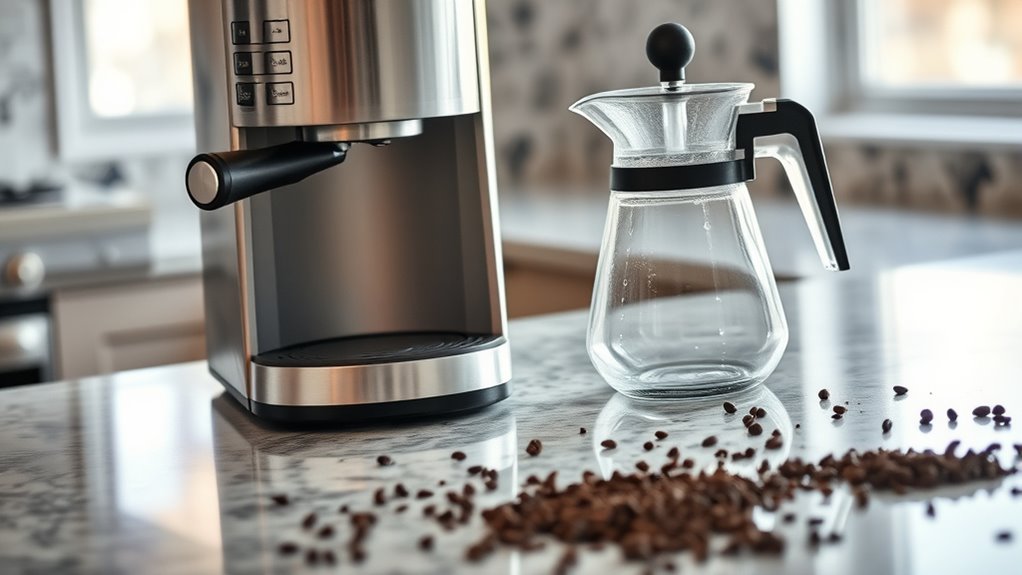
If your Mr. Coffee machine isn't dispensing coffee, check for common issues like clogs from fine coffee grind or improper basket placement. Make sure the water reservoir is clean, filled above the minimum line, and seated securely. Inspect the coffee filter and brew basket for blockages or damage. Mineral buildup may also affect performance, so descaling the machine regularly is essential. For a thorough guide on troubleshooting these issues, you'll find helpful tips and insights ahead.
Common Causes of Coffee Dispensing Issues
If you've noticed that your Mr. Coffee machine isn't dispensing coffee, it might stem from a few common causes. First, consider the coffee grind; if it's too fine, it can clog the filter, obstructing water flow. Switch to a coarser grind to enhance brewing techniques and guarantee smooth extraction. Next, check the basket placement—improper alignment can prevent coffee from flowing into the carafe. Additionally, inspect the brew basket for blockages; coffee grounds can accumulate, causing backups. Finally, confirm your machine is adequately cleaned; mineral buildup can hinder performance. By addressing these issues, you can reclaim the freedom of enjoying your perfect cup of coffee without frustration. Adjusting these elements should get your Mr. Coffee back in action. Furthermore, ensure the water reservoir installation is correct, as overfilling can lead to leaks that prevent proper dispensing.
Checking Water Levels and Reservoir
Start by inspecting the water reservoir to verify it's clean and free of any obstructions. Check the fill level; if it's below the minimum line, your machine won't dispense coffee. Proper water levels are essential for peak brewing, so make certain to fill it up before trying again.
Inspect Water Reservoir
One essential step in troubleshooting your Mr. Coffee machine is to inspect the water reservoir. First, check for any cracks or blockages that might impede water flow. Make certain the reservoir is clean, as build-up can affect water quality and lead to malfunction. If you notice any dirt or residue, follow the maintenance tips by rinsing it thoroughly with warm water. Additionally, verify that the reservoir's connection to the machine is secure, as loose fittings can disrupt water delivery. If you've been using hard water, consider switching to filtered water, as it can enhance overall performance. Regular inspections of the reservoir will not only prevent issues but also extend the life of your coffee maker.
Ensure Proper Fill Level
Making sure the proper fill level in your Mr. Coffee machine is essential for ideal brewing. Start by checking the water reservoir; it should be filled to the appropriate line. If it's low, your machine won't dispense coffee. Too little water can affect the extraction process, altering your desired brew strength.
Additionally, consider the coffee grind; a finer grind requires more water to achieve the right flavor profile. If your grind's too fine and the water level's low, you'll end up with a weak brew or even a clogged filter. Always maintain a consistent water level to guarantee smooth operation and a satisfying cup. With these adjustments, you'll enjoy brewing freedom and delicious coffee every time.
Inspecting the Coffee Filter and Brew Basket
Next, you'll want to inspect the coffee filter and brew basket for any issues. Start by checking for clogs that could obstruct the flow of coffee, then guarantee the filter is correctly placed in the basket. Finally, look for any signs of damage that might affect brewing performance.
Check for Clogs
Before diving into more complex issues, it's crucial to check for clogs in the coffee filter and brew basket, as blockages here are often the primary culprits behind a Mr. Coffee machine not dispensing coffee. Remove the filter and inspect it for any buildup of coffee grounds. If it's clogged, rinse it under hot water to dislodge the debris. Pay attention to the brew basket as well; leftover grounds can obstruct the flow of water. Verify you're using the right grind size, as too fine can contribute to clogs. Additionally, check the water temperature; if it's too low, it may not effectively pass through the grounds. A thorough inspection can often resolve your brewing woes quickly.
Ensure Proper Placement
Proper placement of the coffee filter and brew basket is essential for your Mr. Coffee machine to function correctly. First, verify the filter fits snugly in the brew basket; a loose filter can cause coffee grounds to escape, leading to clogging. Next, check that the brew basket is inserted properly into the machine—if it's not seated correctly, the brewing process may fail. For ideal counter positioning, place your coffee machine on a stable, level surface away from direct sunlight and heat sources, as these factors can affect brewing performance. Finally, always confirm that the coffee maker is aligned with any water source for seamless operation. By verifying proper placement, you'll enhance your coffee-making experience.
Inspect for Damage
One key aspect to troubleshoot when your Mr. Coffee machine isn't dispensing coffee is to inspect for damage in the coffee filter and brew basket. Start by removing the brew basket and checking for cracks or warping, which can obstruct proper water flow. Verify the coffee filter isn't torn or clogged; a damaged filter can lead to brewing issues. If you notice any debris or old coffee grounds, clean them out as part of your coffee machine maintenance routine. Use troubleshooting techniques to verify all components fit snugly. If replacements are needed, don't hesitate to acquire them for effective functioning. Regular inspections can prevent future problems and keep your coffee flowing freely, allowing you to enjoy your favorite brew without interruptions.
Assessing the Heating Element
When your Mr. Coffee machine isn't dispensing coffee, evaluating the heating element is essential for effective heating troubleshooting. Start by unplugging the machine for safety. Check the element for any visible signs of damage, such as burn marks or corrosion. If it appears intact, use a multimeter to test its resistance. A reading outside the typical range indicates a malfunction.
Regular element maintenance is key; if you notice it's frequently overheating or taking longer to brew, consider replacing it. If the element's fine but the machine still won't dispense, the issue may lie elsewhere. Keep this component in prime condition to guarantee your coffee machine functions at its best and delivers that perfect cup you crave.
Cleaning and Descaling Your Mr. Coffee Machine
Cleaning and descaling your Mr. Coffee machine is essential for peak performance. Start by emptying the carafe and the filter basket. For descaling, mix equal parts of white vinegar and water as a natural descaling solution. Pour this mixture into the water reservoir. Run a brewing cycle without coffee grounds, allowing the solution to flow through. After the cycle, let the machine sit for about 30 minutes. Rinse by running two cycles with fresh water to eliminate any vinegar residue. Regularly following these coffee maintenance tips not only prevents buildup but also extends your machine's lifespan. Aim to descale every month or so, especially in hard water areas, to keep your Mr. Coffee brewing delicious coffee effortlessly. Descaling is essential for maintaining the performance and lifespan of your coffee maker.
When to Seek Professional Help
If your Mr. Coffee machine still isn't dispensing coffee after troubleshooting, it might be time to seek professional help. Consider the following factors:
| Issue | Action | Notes |
|---|---|---|
| Persistent malfunction | Contact for professional repair | Check warranty coverage |
| Unusual noises | Immediate inspection suggested | May indicate serious issues |
| Error messages displayed | Consult user manual or technician | Possible software glitch |
Before proceeding, verify if your machine is under warranty, as this could cover repair costs. Ignoring persistent problems can lead to more extensive damage. Taking action now will help preserve your machine's functionality and restore your coffee routine.
Frequently Asked Questions
Can I Use Ground Coffee Instead of Coffee Pods?
Yes, you can use ground coffee instead of coffee pods. For coffee brewing, consider pod alternatives like reusable pods, which allow you to customize your coffee experience while maintaining convenience and minimizing waste. Enjoy your freedom!
How Often Should I Clean My Mr. Coffee Machine?
You should clean your Mr. Coffee machine every 30 days for peak performance. Regular cleaning frequency helps prevent buildup. Follow maintenance tips like descaling and washing parts to guarantee your coffee remains fresh and flavorful.
What Type of Water Is Best for Brewing?
For brewing, filtered water's ideal due to its balanced mineral content. It enhances flavor while minimizing impurities. Avoid hard water with high mineral levels, as it can affect your coffee's taste and machine performance.
Is It Safe to Use Vinegar for Descaling?
Yes, it's safe to use vinegar for descaling. Vinegar's benefits include effectively breaking down mineral buildup. For best results, mix equal parts water and vinegar, run it through, then rinse thoroughly to avoid any aftertaste.
Does the Age of the Machine Affect Its Performance?
Yes, the machine's age can greatly impact its performance. As the machine lifespan decreases, you may encounter more performance issues, such as inconsistent brewing or slower operation. Regular maintenance can help mitigate these problems.