
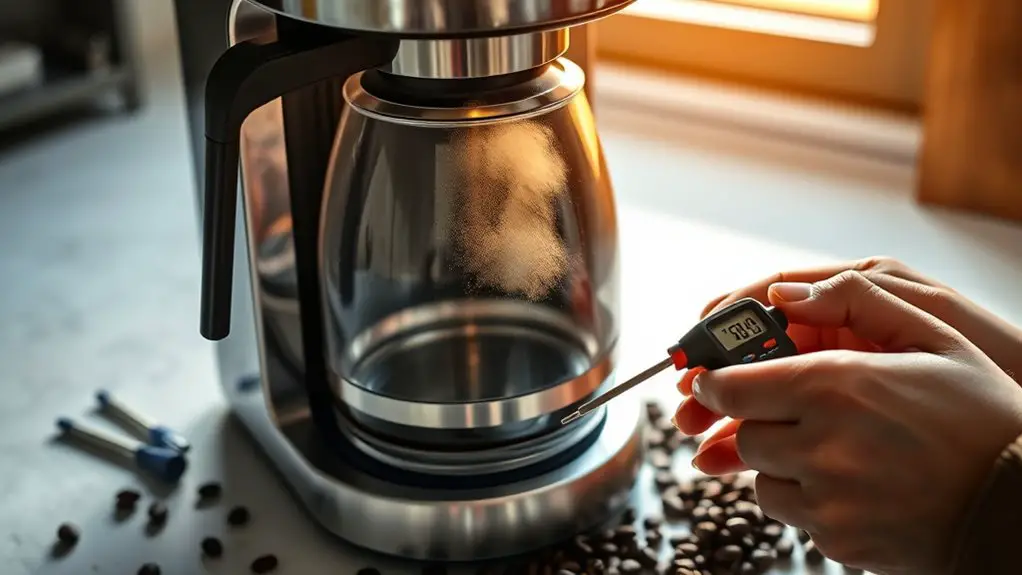
When your coffee maker stops heating properly, check for signs like low temperature or unusual noises. First, inspect the power source for damage or loose connections. Then, clean the unit regularly, using vinegar or descaling agents to remove mineral buildup. Don't forget to examine the heating element for damage or continuity issues. If problems persist, you might need professional help, which could mean considering repairs or a replacement. There's more to explore on maintaining your coffee maker effectively.
Common Signs Your Coffee Maker Is Not Heating
If you notice your morning brew isn't as hot as it used to be, it might be time to investigate the heating functionality of your coffee maker. One common sign of brewing issues is a consistently low coffee temperature; if your caffeine fix is lukewarm, that's a red flag. You should also pay attention to brewing times—if your coffee takes longer than usual, it could indicate a malfunction. Additionally, any strange noises during the brewing process can signal internal issues affecting heat generation. Regularly check for sediment buildup or scale that could impair heating efficiency. Identifying these signs early can save you time and guarantee you enjoy that perfect cup of coffee without interruption. Furthermore, ensure that the brew basket issues are addressed, as they could lead to improper heating and brewing problems.
Check the Power Source
Start by inspecting the power outlet to confirm it's functioning; plug another device into the same outlet to verify. Next, examine the power cord for any visible damage or fraying that could disrupt electrical flow. Finally, check the circuit breaker to see if it has tripped, as this could cut off power to your coffee maker.
Inspect Power Outlet
Have you checked the power outlet? Before diving deeper into troubleshooting your coffee maker, verify the power supply is functioning correctly. Start by inspecting the outlet for any visible damage or burn marks, which could indicate outlet issues. Plug another device into the same outlet to confirm it's providing power; if that device doesn't work, the issue likely lies with the outlet itself. If you have access to a multimeter, you can measure the voltage to verify it meets the standard 120V. Additionally, check if the outlet is loose or wobbly—this can disrupt the connection and affect your coffee maker's performance. Addressing outlet issues can often resolve heating problems without further intervention.
Test Power Cord
After ensuring the power outlet is functioning, the next step is to check the power cord of your coffee maker. Power cord issues can often lead to heating problems, so it is crucial to inspect it thoroughly. Start by unplugging the coffee maker and visually examining the cord for any signs of damage, such as fraying or cuts. If you notice anything suspicious, consider replacing the cord. For testing methods, you can use a multimeter to check for continuity; set it to the resistance setting, and touch the probes to both ends of the cord. A reading of zero indicates a functioning cord, while a high reading suggests an issue. Address any problems found to restore your coffee maker's performance.
Check Circuit Breaker
Before diving deeper into troubleshooting your coffee maker, it is essential to check the circuit breaker, as a tripped breaker can disrupt the power supply. Start by locating your electrical panel and inspect the breakers. If you see any that are in the "off" position or tripped, that could be the culprit behind your coffee maker's heating issues. To perform a circuit breaker reset, simply switch the tripped breaker back to the "on" position. After resetting, give your coffee maker another try. If it powers up, you've solved the issue. If not, you may need to continue with further coffee maker troubleshooting steps, such as checking the power cord or internal components.
Clean Your Coffee Maker Regularly
Cleaning your coffee maker regularly is essential for maintaining ideal performance and flavor extraction. Use recommended cleaning solutions, such as vinegar or specialized descaling agents, to effectively remove buildup and mineral deposits. Regular descaling not only enhances the heating efficiency but also prolongs the lifespan of your machine. Additionally, descaling your machine every 3-6 months is crucial for preventing mineral buildup that can lead to heating issues.
Importance of Regular Cleaning
While you might not think about it often, regular cleaning of your coffee maker is essential for maintaining its performance and longevity. Neglecting this aspect of coffee maintenance can lead to build-up, affecting the taste of your brew and the machine's efficiency.
Here's a quick overview of the cleaning process:
| Step | Frequency | Purpose |
|---|---|---|
| Rinse Basket | After each use | Prevents oil accumulation |
| Deep Clean | Monthly | Removes mineral deposits |
| Descale | Every 3-6 months | Enhances heating efficiency |
Recommended Cleaning Solutions
To maintain your coffee maker's efficiency and guarantee a great-tasting brew, selecting the right cleaning solutions is essential. Here are three effective options you can use:
- Vinegar Solution: Mix equal parts of white vinegar and water. Pour it into the reservoir and run a brewing cycle. This helps to dissolve mineral buildup without harsh chemicals.
- Citric Acid: Dissolve one to two tablespoons of citric acid in a full reservoir of water. This natural cleaner not only removes limescale but also leaves your machine smelling fresh.
- Commercial Cleaners: Look for descaling solutions specifically designed for coffee makers. These are often formulated to tackle mineral deposits effectively.
Descaling Your Coffee Maker
Neglecting to descale your coffee maker can lead to reduced heating efficiency and a less enjoyable brew. Regular coffee maker maintenance is essential for peak performance. To descale, you can use a mixture of equal parts water and white vinegar, or a commercial descaling solution. Start by filling the water reservoir with your chosen solution and running a brew cycle without coffee grounds. Once complete, let the machine sit for about 15 minutes to break down mineral deposits. Rinse the reservoir thoroughly and run two cycles of fresh water to clear any remaining solution. Implementing these descaling techniques every 1-3 months will not only enhance your coffee's flavor but also extend the lifespan of your appliance, granting you more freedom to enjoy your daily brew.
Inspect the Heating Element
The heating element is an essential component of your coffee maker, responsible for warming the water to the ideal brewing temperature. When your coffee maker isn't heating properly, inspecting the heating element can be a vital troubleshooting technique. Here's how to proceed:
The heating element is crucial for achieving the perfect brewing temperature in your coffee maker.
- Identify the heating element type: Different coffee makers use various heating element types—either metal coils or thermoblocks. Knowing your model helps in diagnosis.
- Check for damage: Look for any visible signs of wear, such as cracks or corrosion, which could affect performance.
- Test the continuity: Use a multimeter to measure continuity; if there's no reading, it's likely the heating element needs replacement.
Look for Mineral Buildup
After checking the heating element, it's important to contemplate mineral buildup as a potential culprit for inadequate heating in your coffee maker. Mineral deposits can accumulate over time, especially if you use hard water, affecting the machine's efficiency. Regular coffee maintenance is essential to prevent this issue. Additionally, descaling the machine regularly helps to remove limescale build-up that can hinder performance.
Here's a quick guide on identifying mineral buildup:
| Signs of Buildup | Solutions |
|---|---|
| Slow brewing process | Perform regular descaling |
| Unusual noises | Use a vinegar solution |
| Discolored water | Switch to filtered water |
Consider the Brew Timer Settings
Have you checked your brew timer settings lately? Sometimes, improper programming can lead to your coffee maker not heating as expected. Here are a few steps to guarantee your brew timer is set correctly:
Have you reviewed your coffee maker's brew timer settings? Improper programming can hinder heating performance.
- Review Programming Options: Look into the manual to familiarize yourself with your specific brew timer settings. Each model may differ in functionality.
- Adjust Brew Time: Make sure that the brew time is set to allow sufficient heat retention. A short brew time may prevent proper extraction and heating.
- Reset Timer: If all else fails, reset the brew timer to factory settings. This can clear any errors and restore peak performance.
When to Seek Professional Repair or Replacement
If your coffee maker continues to underperform despite troubleshooting efforts, it might be time to contemplate professional repair or replacement. Consider the age and condition of your machine; if it's a few years old and shows signs of wear, repair costs could exceed the value of the unit. Research local repair services to evaluate their pricing and reliability. If repairs seem too expensive, explore replacement options that fit your budget and brewing needs. Look for models with good warranties and reviews to guarantee longevity. Ultimately, weighing the costs and benefits will help you make a decision that keeps your coffee routine hassle-free and enjoyable. Remember that regular maintenance and routine checks can help prevent future issues and prolong the life of your coffee maker. Don't compromise on your coffee experience; seek the best solution.
Frequently Asked Questions
Can a Faulty Coffee Pot Affect Brewing Temperature?
Yes, a faulty coffee pot can greatly impact brewing efficiency and temperature stability. If the heating element isn't functioning correctly, you'll notice inconsistent temperatures, leading to under-extracted coffee and a less enjoyable brewing experience.
How Often Should I Descale My Coffee Maker?
You should descale your coffee maker every three to six months, depending on water hardness. Regular descaling is essential for ideal coffee maker maintenance, ensuring efficient operation and consistent brewing temperatures for your daily coffee experience.
Is It Safe to Use Vinegar for Cleaning?
Using vinegar for cleaning's safe and effective, offering benefits like removing mineral buildup and odors. However, you might consider other cleaning alternatives, like citric acid or baking soda, for a gentler approach to maintenance.
What Brands Have the Best Heating Elements?
When considering brand comparisons for coffee makers, focus on those known for their reliable heating elements. Brands like Breville and Technivorm excel in brewing performance, ensuring your coffee reaches ideal temperatures consistently for a perfect cup every time.
How Can I Extend My Coffee Maker's Lifespan?
Picture your coffee maker as a loyal companion. To extend its lifespan, follow maintenance tips like regular cleaning and descaling, and guarantee proper storage in a cool, dry place when it's not in use.