
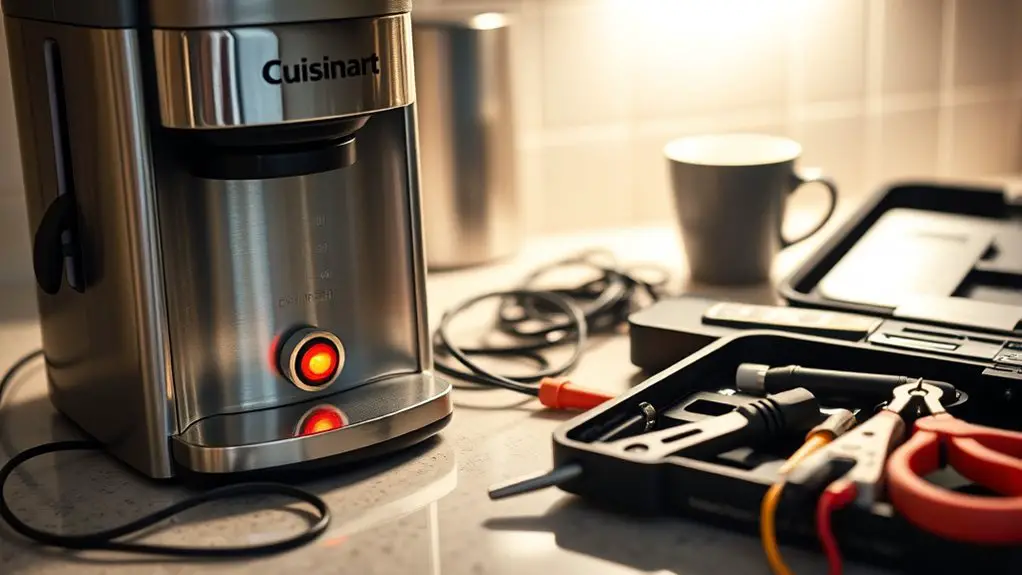
If your Cuisinart coffee maker won't turn on, start by checking the power source to verify it's plugged in and the outlet is functioning. Inspect the power cord for any visible damage. Next, examine the brew basket and carafe, confirming they're correctly placed and secure. Try resetting the machine by unplugging it for at least 30 seconds. If these steps don't resolve the issue, there are more troubleshooting tips you can explore.
Check the Power Source
Before diving into more complex troubleshooting, the first step is to check the power source. Confirm your Cuisinart coffee maker's plugged into a functioning power outlet. Sometimes, electrical issues arise from a faulty outlet, so try plugging another device into the same outlet to verify it works. If that device powers on, your outlet is fine. Next, inspect the coffee maker's power cord for any visible damage. A frayed or broken cord can disrupt the electrical flow, preventing your coffee maker from turning on. If you suspect any electrical issues, avoid using the coffee maker until resolved to prevent further damage. Taking these initial steps can save time and confirm a smoother troubleshooting process ahead.
Inspect the Power Cord
Inspecting the power cord of your Cuisinart coffee maker is essential for identifying potential electrical issues. Start by unplugging the machine to guarantee safety during your power cord inspection. Check for any visible damage, such as frays or cuts, which can interrupt the electrical connection. A damaged cord can prevent power from reaching the unit, rendering it inoperable. Confirm the plug is securely connected to the outlet and that the outlet itself is functioning properly. If you notice any irregularities, consider replacing the power cord or seeking professional assistance. A thorough inspection can save you time and frustration, ensuring your coffee maker operates safely and effectively for your brewing needs.
Examine the Brew Basket and Carafe
To guarantee your Cuisinart coffee maker functions properly, start by checking the brew basket placement; it should fit securely in its designated slot. Next, inspect the carafe's position to confirm it's aligned correctly under the brew basket. Finally, make certain the lid is closed tightly to prevent any leaks during the brewing process.
Check Brew Basket Placement
A properly placed brew basket is vital for your Cuisinart coffee maker to function correctly. Start by checking the brew basket alignment; it should fit snugly into the coffee maker's designated slot. If the basket isn't correctly positioned, the machine won't recognize it, preventing it from turning on. Verify that the brew basket is fully inserted and that there are no obstructions blocking its installation. This proper installation is essential because any misalignment can disrupt the brewing process and lead to malfunction. Take a moment to adjust the basket, making sure it clicks into place. Once you've confirmed the correct alignment, try turning your coffee maker on again. You might just find that it springs back to life.
Inspect Carafe Position
If your Cuisinart coffee maker still isn't functioning after checking the brew basket, it's important to examine the carafe position next. Proper carafe alignment is vital for the machine to detect the carafe and initiate brewing. Here are some key points to reflect on:
- Confirm the carafe is fully seated on the warming plate.
- Check for any debris or buildup on the plate that might obstruct contact.
- Verify that the coffee maker placement allows for a stable, level surface.
- Make sure the carafe is the correct model, as incompatible carafes can cause issues.
- Inspect the carafe for cracks or damage that may affect its fit.
Taking these steps can help you troubleshoot and get your coffee maker back up and running.
Ensure Proper Lid Closure
After confirming the carafe is properly positioned, the next step is to check that the lid of your Cuisinart coffee maker is securely closed. Proper lid alignment is essential for the unit to function correctly. If the lid isn't aligned with the latch mechanism, the machine may not turn on. Gently press down on the lid to engage the latch, making sure it clicks into place. If you notice any obstructions or misalignments, remove the lid and inspect for debris or damage. Once everything's clear, reattach the lid and verify it's locked securely. This simple check can save you time and frustration, allowing you to enjoy your coffee without interruption.
Reset the Coffee Maker
Resetting your Cuisinart coffee maker can resolve various issues, such as brewing errors or unresponsive buttons. Here are some effective reset methods you can try as troubleshooting tips:
- Unplug the machine: Disconnect it from the power source for at least 30 seconds.
- Press the reset button: If your model has a reset button, locate and press it.
- Check the water reservoir: Confirm it's seated correctly and filled to the appropriate level.
- Inspect the power cord: Look for any visible damage or fraying.
- Reassemble the components: Properly reattach the lid and other parts before powering on.
Clean the Machine
Cleaning your Cuisinart coffee maker regularly is essential for maintaining peak performance and ensuring great-tasting coffee. Start by unplugging the machine and emptying any leftover coffee. Use a mixture of equal parts water and white vinegar to descale the machine. Run a brewing cycle with this solution, followed by two cycles of fresh water to rinse. Pay attention to the filter basket and carafe, which should be washed with warm, soapy water. Regularly check and replace the water filter as part of your maintenance schedule. For additional cleaning tips, consider wiping down the exterior and any removable parts. By incorporating these practices, you'll enjoy consistent coffee quality and prolong the life of your coffee maker. Additionally, regular maintenance, including cleaning with vinegar, can help prevent clogging and leaks.
Contact Customer Service
If you're still facing issues with your Cuisinart coffee maker, contacting customer service is a crucial next step. First, find the contact information, then prepare relevant details about your machine and the problems you're experiencing. Don't forget to follow up promptly to guarantee your concerns are addressed efficiently.
Find Contact Information
Wondering how to get in touch with Cuisinart customer service? You've got options to access support and warranty information effectively. Here's how you can find the necessary contact details:
- Visit the Cuisinart official website for online support
- Check the product manual for customer service numbers
- Look for warranty information in your purchase documents
- Use social media platforms to reach out directly
- Call their customer service line for immediate assistance
Prepare Relevant Details
Before reaching out to Cuisinart customer service, it's essential to gather several key details to guarantee a smooth interaction. Start by noting your coffee maker's model number and serial number, as these will help the representative assist you effectively. Be ready to describe the specific issues you're facing, focusing on common issues like power failure or brewing problems. Document any troubleshooting steps you've already taken, as this will save time and clarify the situation. If you've noticed any error codes or unusual behavior, make sure to mention those as well. Having this information on hand will streamline the process and increase the chances of a quick resolution. Remember, detailed communication is key in coffee maker troubleshooting.
Follow Up Promptly
It's important to reach out to Cuisinart customer service promptly after identifying issues with your coffee maker. Delaying your contact can hinder resolution. Here are some effective follow up methods to keep in mind:
- Call Customer Service: Speak directly to a representative for immediate assistance.
- Email Support: Provide detailed information and await a thorough response.
- Online Chat: Use the live chat option for quick troubleshooting.
- Social Media: Engage with Cuisinart on platforms for informal feedback.
- Customer Feedback Surveys: Share your experience to help improve service.
Acting quickly not only aids in resolving your issue but also allows Cuisinart to collect valuable customer feedback to enhance their products. Don't hesitate to follow up!
Frequently Asked Questions
What Should I Do if My Coffee Maker Is Leaking?
If your coffee maker's leaking, check for loose connections and damaged seals. Regular coffee maker maintenance, including cleaning and inspection, can help with leak prevention. Don't ignore small leaks; they can lead to bigger issues.
How Can I Troubleshoot a Faulty Display?
If your display's acting a bit shy, try a quick display reset. Check the display connections too; loose wires might be causing the issue. A little patience can restore the clarity you crave.
Is There a Warranty for My Cuisinart Coffee Maker?
Yes, your Cuisinart coffee maker may have warranty coverage. Make sure you've completed the warranty registration within the specified timeframe. Check your user manual for details on the warranty terms and how to proceed.
Can I Use My Coffee Maker With a Power Strip?
Using a coffee maker with a power strip isn't recommended due to power strip safety concerns. The electrical load from your coffee maker might exceed the strip's capacity, risking overheating or damage. Always plug directly into a wall outlet.
What Types of Coffee Grounds Are Recommended for Optimal Brewing?
You might be surprised how much grind size and brewing temperature affect your coffee's flavor. For ideal brewing, use medium grind for drip methods and adjust temperature between 195°F to 205°F for best extraction.